What ezyVet clinics use VetCheck for
Add digital forms, clinical charts and over 2000 client education resources to the cloud practice management system you already use.
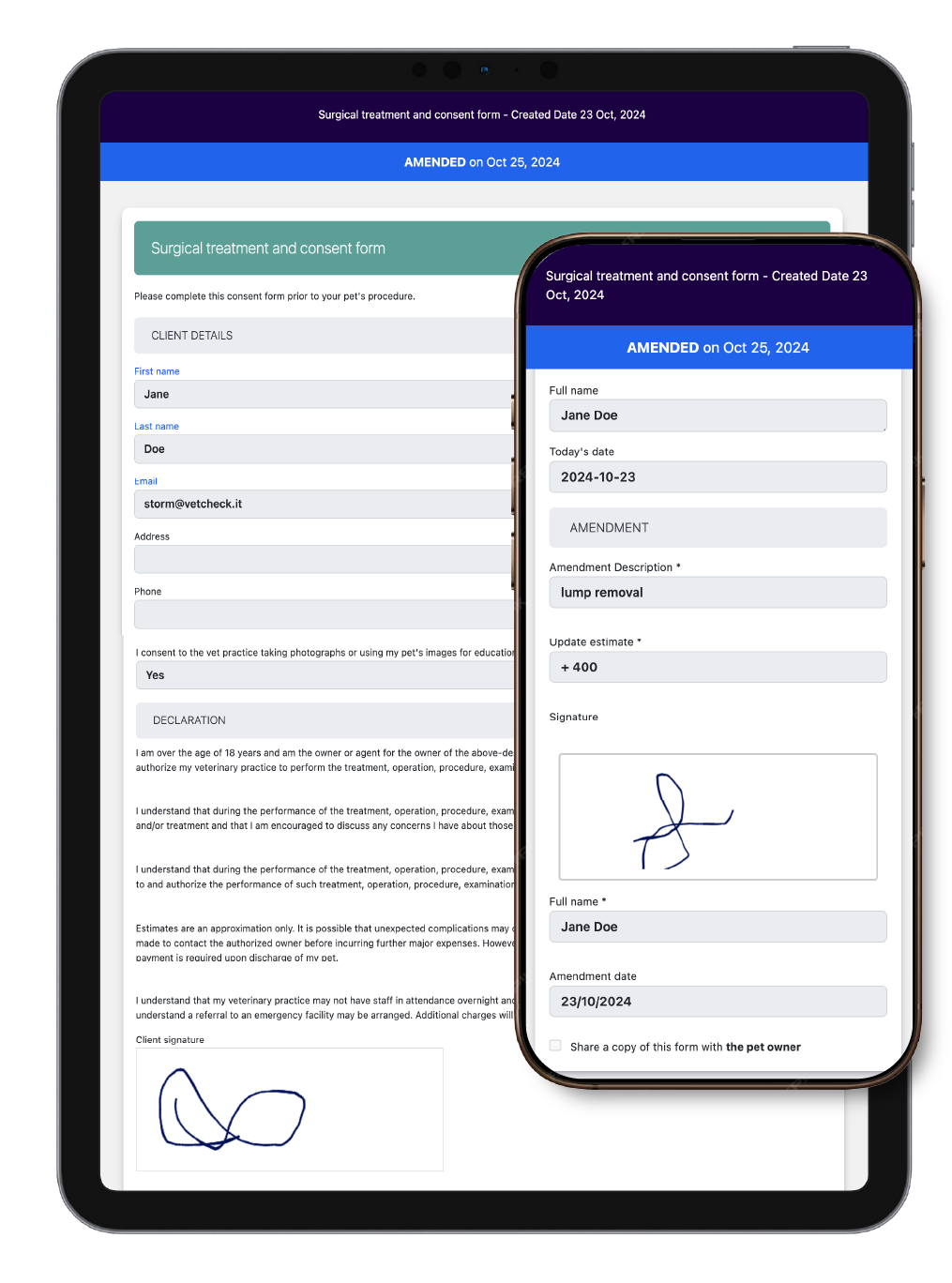
Consent forms with e-sign
Send surgical, anesthesia and admission consent forms before the visit. Clients sign on any device. Explore digital forms

Discharge instructions & home care videos
Send discharge instructions and home care videos digitally instead of printing them at the end of a long day.

Dental charts
Chart dental procedures digitally and share a clear report with the pet owner. Dental charts

Anesthesia logs
Digital general anesthesia charts that auto-generate clinical summaries for the patient record. Anesthesia charts

Digital hospital sheets
Treatment sheets and a digital whiteboard so every hospitalized patient has a detailed record. Hospital workflow

Automated client communication
Trigger welcome packs, discharge instructions and home care videos from product or service codes and reminders.
Switched on in ezyVet in minutes
VetCheck is an ezyVet API partner. To turn it on, an ezyVet admin opens the Admin tab, goes to Integration, searches for API Partner, selects VetCheck from the partner list and saves.
Once it's on, your team can see forms that clients are still completing alongside the patient, and every completed document is stored in the patient history, so nothing is scanned, filed or re-typed.
ezyVet clinics also use VetCheck automations: attach discharge instructions or home care videos to a product or service code, and the right information goes to the client every time.
How the ezyVet integration works
Enable VetCheck in ezyVet
In ezyVet, open Admin, then Integration, search for API Partner, select VetCheck and save.
Choose your forms and content
Start from VetCheck templates or set up your own practice forms, handouts and treatment plans.
Share from ezyVet
Client and patient details sync automatically. Clients complete documents on their phone and completed documents save to the patient history.
Why ezyVet clinics choose VetCheck
- Client and patient details sync from ezyVet
- Track forms in progress and find completed documents in the patient history
- Over 2000 client handouts, discharge instructions and home care videos
- Treatment plans, dental and anesthesia charts
- Automations triggered by product or service codes
- Support teams in Australia, the US and the UK
One click instead of a printer
“Our front desk was bogged down printing estimates and chasing signatures, and our technicians were stuck printing discharge paperwork. Now our forms go out with one click and we can track that clients complete them. Our whole flow is smoother and faster, so we can focus on customer service and patient care.”
Noam Landor, Practice Manager
Alison Animal Hospital
Other VetCheck integrations
VetCheck for Covetrus AVImark
Digital forms, e-sign consent and clinical charts for AVImark clinics. AVImark integration →
VetCheck for IDEXX Cornerstone
Digital forms, e-sign consent and clinical charts for Cornerstone clinics. Cornerstone integration →
VetCheck for Provet Cloud
Digital forms, e-sign consent and clinical charts for Provet Cloud clinics. Provet Cloud integration →
All integrations
See every practice management system VetCheck connects to. View all →
ezyVet® is a trademark or registered trademark of ezyVet Limited, an IDEXX company. Other product names are trademarks of their respective owners. VetCheck is an independent product.