Veterinary forms your clinic can send digitally
Start with 50+ ready-to-use form templates, or bring your own practice forms.
New client registration
Owner details, pet history and policy acknowledgments, completed before the first visit. Registration checklist →
Surgical & anesthesia consent
Procedure details, anesthesia risks, estimates and resuscitation wishes, signed before admission. Consent checklist →
Hospital admission
Admit patients faster with contact details, authorizations and instructions captured in advance.
Boarding admission
Feeding, medication and emergency treatment instructions for every boarding stay. Boarding checklist →
Treatment waivers
Record client decisions and acknowledgments clearly, with a signature and date.
Pre-visit health questionnaires
Capture patient history before the consult to run a more efficient appointment.
How VetCheck digital forms work
Choose a form
Pick a VetCheck template or one of your own practice forms. Client and patient details can be pre-filled from your practice management system.
Send it to the client
Share a secure link before the visit, so clients can complete it at home on any device.
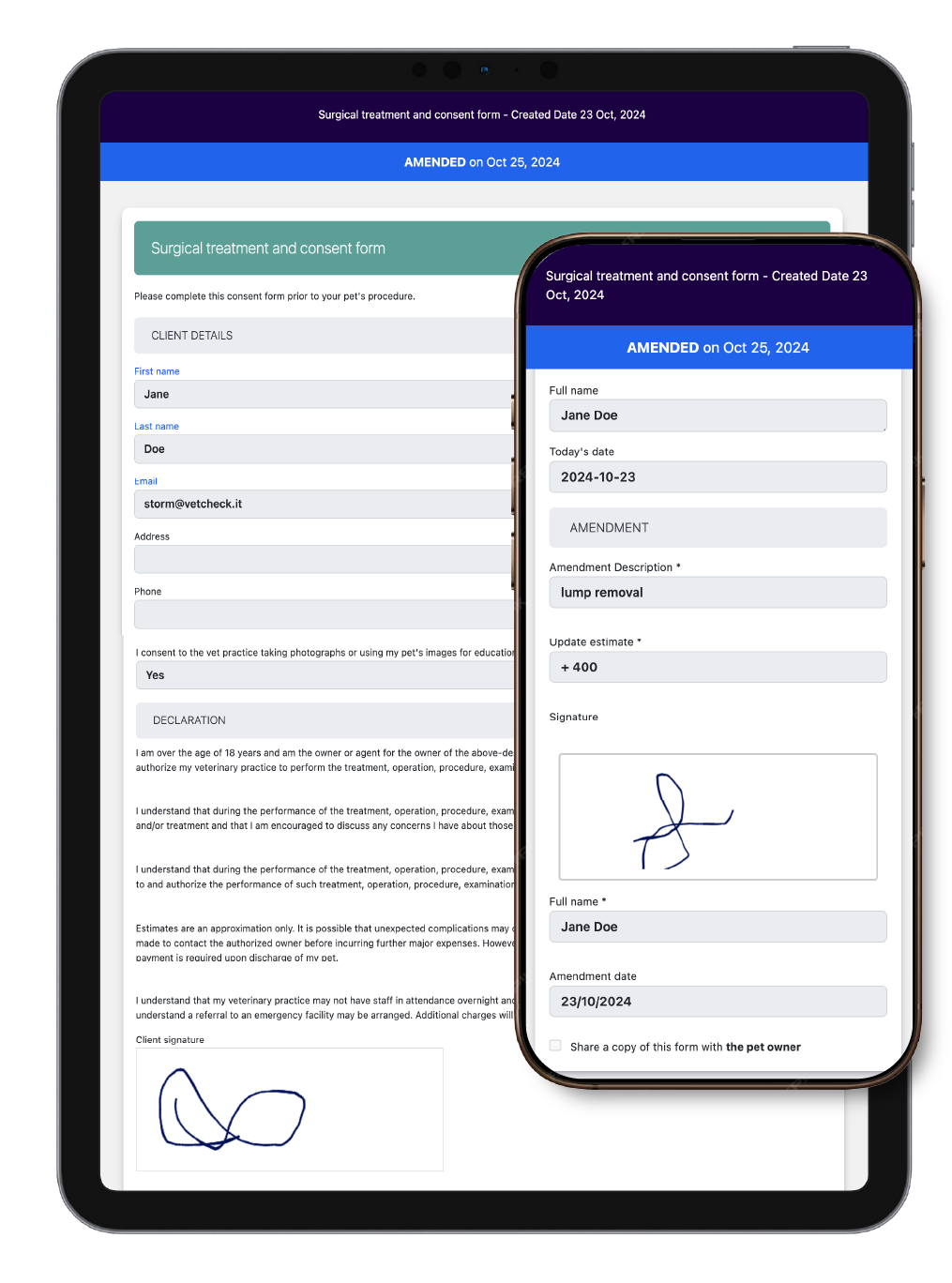
Client completes and e-signs
Clients fill in the guided form, sign on screen and click send.
Saved to the patient record
The completed form returns to your clinic and is stored with the patient history, with no scanning or filing.
Less paperwork for every role
- Front desk: no more printing forms, chasing signatures or scanning paperwork at check-in
- Technicians: consent is signed before admission, so surgery days start on time
- Veterinarians: complete histories before the consult and signed records in the patient file
- Clients: complete forms at home on their phone instead of a clipboard in the waiting room
Secure and part of the medical record
VetCheck forms use SSL-secured submissions with encrypted e-signatures. Completed forms are stored in your practice management system as part of the patient history, so they remain with your clinical records.
Forms that go out with one click
“Our front desk was bogged down printing estimates and chasing signatures, and our technicians were stuck printing discharge paperwork. Now our forms go out with one click and we can track that clients complete them. Our whole flow is smoother and faster, so we can focus on customer service and patient care.”
Noam Landor, Practice Manager
Alison Animal Hospital
Works with the practice management system you already use
Send forms from the patient record and save completed documents back to the patient history.
- Covetrus AVImark
- IDEXX Cornerstone
- ezyVet
- Provet Cloud
- IDEXX Neo
- Covetrus Impromed
- Covetrus Pulse
- Covetrus Ascend
- RxWorks
- VisionVPM
- OpenVPMS
- Merlin
- PetBooqz
Veterinary form checklists
Surgical & anesthesia consent form
What to include in a veterinary surgical and anesthesia consent form, from risks and estimates to resuscitation wishes. View checklist →
New client registration form
Collect owner details, pet history, communication consent and policy acknowledgments before the first visit. View checklist →
Boarding admission form
Capture feeding, medication, emergency contacts and treatment authorization before every boarding stay. View checklist →